PS5 vs Xbox Series X: Which Console Should You Buy?
Gaming comparison
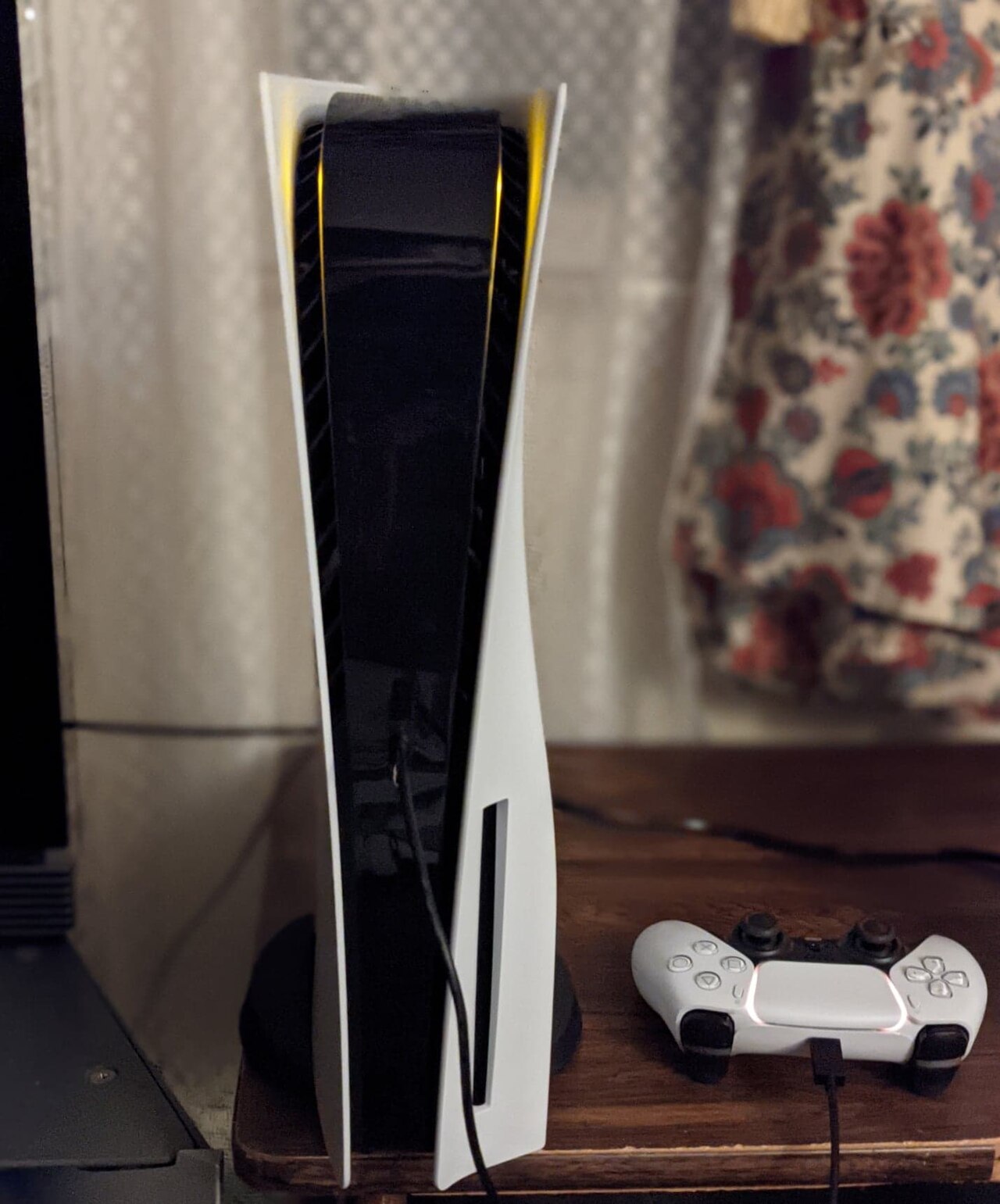
Sony PlayStation 5
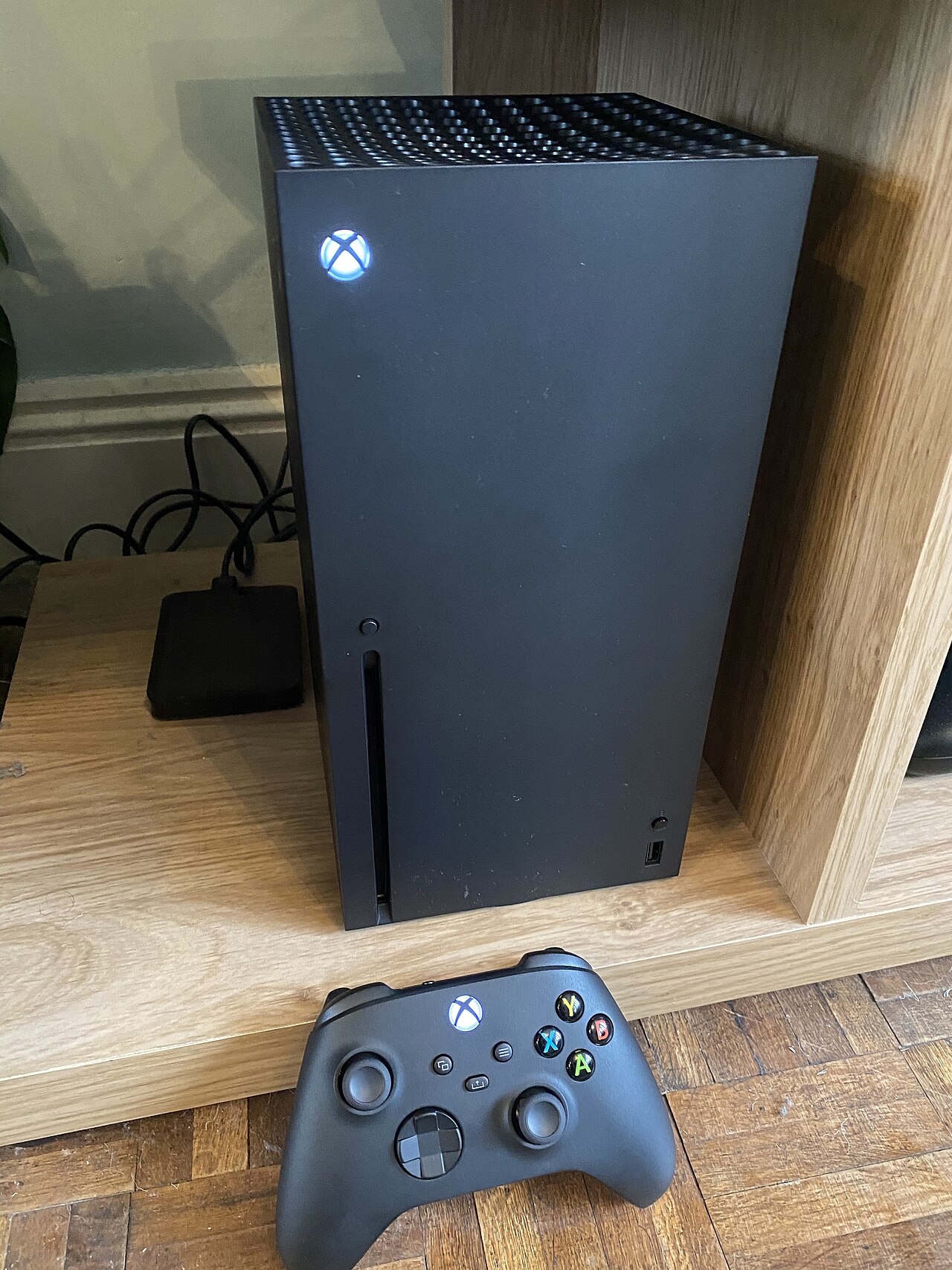
Microsoft Xbox Series X
This guide contains affiliate links. As an Amazon Associate I earn from qualifying purchases, at no extra cost to you. Learn more.
Key takeaways
- Choose PS5 for immersive haptic feedback and exclusive story-driven franchises.
- Choose Xbox Series X for day-one Game Pass releases and a slight on-paper hardware lead.
- PS5 storage expands with standard M.2 SSDs; Xbox Series X uses proprietary expansion cards.
- From January 2028, new PlayStation games are sold in digital format only, according to Sony.
Short on time? Start with our top picks
-
Best for exclusive games and haptics
Sony PlayStation 5
- Best for
- Gamers who prioritize narrative-driven exclusives and innovative haptic feedback controllers.
- Why choose it
- It features generation-defining console exclusives and a best-in-class controller with haptic feedback and adaptive triggers.
- Think twice if
- Buyers with large Xbox libraries, or who want to keep buying new games on disc after January 2028, should weigh the trade-offs.
-
Best for subscription value and native 4K
Microsoft Xbox Series X
- Best for
- Players looking for maximum subscription value and robust backwards compatibility.
- Why choose it
- It delivers smooth, native 4K gaming at up to 120 frames per second alongside Xbox Game Pass access.
- Think twice if
- Users who dislike minimalist block designs that look awkward on their side may find the chassis less versatile.
How they compare
| Product | Best for | Key specs | Think twice if | Amazon link |
|---|---|---|---|---|
| Sony PlayStation 5 | Gamers who prioritize narrative-driven exclusives and innovative haptic feedback controllers. | AMD Zen 2 CPU · RDNA 2 GPU · 16GB GDDR6 RAM · 1TB storage capacity on Slim model | Buyers with large Xbox libraries, or who want to keep buying new games on disc after January 2028, should weigh the trade-offs. | Check price |
| Microsoft Xbox Series X | Players looking for maximum subscription value and robust backwards compatibility. | 1TB SSD storage · TRUE 4K Gaming · Up to 120 FPS · 8K HDR support | Users who dislike minimalist block designs that look awkward on their side may find the chassis less versatile. | Check price |
Specs come from manufacturer pages and the sources listed at the end. Prices change often, so we link to Amazon instead of listing them.
The PlayStation 5 appeals to players who prioritize single-player exclusive franchises and advanced tactile controller feedback. Meanwhile, the Xbox Series X targets gamers focused on multiplatform flexibility, subscription catalog depth, and robust legacy game support. Choosing between them comes down to your preferred game franchises, subscription expectations, and hardware priorities.
As of November 2026, this comparison covers the US versions of both consoles, using Sony’s and Microsoft’s US product pages and IGN’s reviews.
Which console has a better game library and exclusives?
Game libraries remain the primary factor when choosing a gaming platform. The PlayStation 5 features generation-defining console exclusives built by PlayStation Studios (PlayStation), alongside major multiplatform releases such as Fortnite, Monster Hunter Wilds, and Grand Theft Auto V (IGN). Market adoption reflects this catalog focus, as Sony’s PlayStation 5 has generated nearly double the units sold as the Xbox Series X and S combined (IGN). Sony has also outlined future distribution shifts, confirming that from January 2028, newly released games on PlayStation will be available for purchase in digital format only (PlayStation).
Microsoft takes a different approach with the Xbox Series X, highlighting titles from Xbox Game Studios like Microsoft Flight Simulator and Forza Horizon 5 (IGN). Multiplatform titles appear side by side on both platforms, but Microsoft places heavy emphasis on ecosystem flexibility across console and PC hardware.
The edge: PlayStation 5 suits players who demand story-driven console exclusives, while Xbox Series X fits those looking for expansive simulation and racing titles.
How do Xbox Game Pass and PlayStation Plus compare?
Subscription services alter the overall cost of building a game collection over time. The Xbox ecosystem centers heavily around Xbox Game Pass, providing access to a rotating catalog of console and PC games (Xbox Game Pass). The service adds new titles each month and includes day-one game releases, cloud gaming capabilities, online multiplayer access, and exclusive member discounts. This structure allows subscribers to play fresh releases immediately without buying individual titles at full price.
PlayStation Plus offers tiered membership options that grant access to online multiplayer, monthly downloadable titles, and a multi-tier game catalog. While Sony provides a broad selection of past hits, it generally reserves brand-new first-party games for standalone sale at launch rather than including them day-one in the base subscription.
The edge: Xbox Series X gains the advantage for subscribers who want day-one releases and broad PC and cloud integration.
Do games look and run better on the PS5 or Xbox Series X?
Under the hood, both systems rely on custom processing hardware designed by AMD. The PlayStation 5 features an AMD Zen 2 CPU and RDNA 2 GPU architecture, backed by 16GB of GDDR6 RAM, Wi-Fi 6, and gigabit Ethernet (IGN). For output flexibility, the PlayStation 5 supports Variable Refresh Rate (VRR) technology alongside dedicated 1440p monitor resolution support, catering to players using desktop monitors instead of traditional televisions.
Microsoft builds the Xbox Series X around a similar AMD Zen 2 and RDNA 2 foundation, but targets native high-resolution presentation. Microsoft rates the Xbox Series X for True 4K gaming, frame rates up to 120 FPS, and 8K HDR support (Xbox). While real-world frame rates depend on individual developer optimization rather than raw console specifications alone, the Xbox Series X carries a slightly higher hardware compute target on paper.
The edge: Xbox Series X holds a slight on-paper lead for native 4K output; in practice, how each game is optimized matters more than the spec sheet.
Is the DualSense controller better than the Xbox Wireless Controller?
The physical interface shapes every minute of gameplay. Sony redesigned its input hardware for the PlayStation 5, introducing the DualSense controller. It features fine-tuned haptic feedback and adaptive triggers that dynamically adjust resistance to match in-game actions, such as drawing a bowstring or feeling surface textures (IGN).
In contrast, the Xbox Series X includes a packed-in controller that remains barely changed from previous generations (IGN). Microsoft prioritized physical familiarity, refined grip textures, and low-latency wireless performance over experimental feedback hardware. For players who prefer traditional offset analog sticks and standard trigger resistance, the Xbox layout offers an intuitive transition without a learning curve.
The edge: PlayStation 5 delivers a more tactile control experience with its DualSense technology, whereas Xbox Series X favors familiarity and traditional controller ergonomics.
Which console is easier to upgrade with more storage?
Modern game installation sizes strain internal hard drives quickly. For instance, single titles like Call of Duty can take up to 150GB of space (IGN). The PlayStation 5 Slim revision provides a 1TB total storage capacity with 848GB of usable space out of the box (IGN). Sony engineered the PlayStation 5 custom SSD to read 5.5GB in just one second. To expand internal storage, Sony allows users to install standard off-the-shelf M.2 NVMe SSDs into an internal expansion slot beneath the outer cover, provided the drive meets minimum speed criteria.
The Xbox Series X comes equipped with 1TB of internal SSD storage powered by Microsoft’s Xbox Velocity Architecture (Xbox). Expanding high-speed storage on the Xbox Series X requires plugging a proprietary expansion card into a dedicated slot on the back of the console. While this external expansion setup requires zero tools, proprietary storage cards often cost more per gigabyte than standard off-the-shelf PC M.2 drives.
The edge: PlayStation 5 offers better financial and hardware flexibility with off-the-shelf M.2 SSD drives, while Xbox Series X relies on plug-and-play proprietary expansion cards.
How does backwards compatibility differ on PS5 and Xbox Series X?
Carrying your existing library forward protects your investment in previous-generation games. The PlayStation 5 offers backward compatibility with over 8,500 PS4 titles (PlayStation). Select PS4 titles also benefit from Sony’s Game Boost, which delivers smoother frame rates and faster loading times on PS5 hardware.
Microsoft takes legacy integration a step further by supporting titles spanning multiple generations, including Xbox One, Xbox 360, and original Xbox releases. The Xbox Series X features a convenient network transfer process that lets you move installed games from an older Xbox console to the Xbox Series X over your home local network without redownloading them from the internet (IGN).
The edge: Xbox Series X simplifies moving legacy libraries over network transfers across multiple console generations, while PlayStation 5 provides broad backward compatibility for over 8,500 PS4 games enhanced by Game Boost.
Who should buy the PlayStation 5?
The PlayStation 5 is designed for players who want cinematic single-player narrative titles and innovative physical immersion. Sony’s focused lineup of first-party exclusives offers games you cannot play on rival hardware at launch. The DualSense controller adds tactile depth via adaptive triggers and realistic haptics that change how games feel under your fingers.
Upgrading internal storage on the PlayStation 5 is straightforward thanks to support for standard, off-the-shelf M.2 SSDs. However, buyers should keep future media format changes in mind, as Sony plans to shift newly released games to digital-only purchase formats starting in January 2028. Additionally, players with vast existing Xbox game libraries will find no cross-platform legacy support here.
Who should buy the Xbox Series X?
The Xbox Series X suits gamers seeking multiplatform performance and long-term subscription value. Access to Xbox Game Pass makes it simple to maintain a vast library of games, including new first-party titles available on day one. Its hardware setup supports native True 4K rendering at up to 120 FPS for high-refresh-rate displays.
The Xbox Series X is also ideal for players with substantial legacy libraries, thanks to fast local network transfers from older Xbox consoles. On the hardware side, consider your entertainment center layout: the chassis features a minimalist block design with a fixed vertical stand on the left side that cannot be removed, which can make horizontal placement look awkward in tight media cabinets.
Bottom line
Choose the PlayStation 5 if you want single-player exclusive games, cutting-edge haptic feedback from the DualSense controller, and the ability to expand internal storage using standard PC M.2 SSDs.
Choose the Xbox Series X if you want day-one access to major releases via Xbox Game Pass, extensive backward compatibility with simple local network game transfers, and native 4K gaming performance.
Frequently asked questions
Can I play my PS4 games on the PS5?
Yes, the PlayStation 5 features backward compatibility with over 8,500 PS4 titles. Select games also utilize Game Boost technology to deliver smoother frame rates and faster loading times.
Can I play my Xbox One and Xbox 360 games on the Series X?
Yes, the Xbox Series X supports legacy games across multiple generations, including Xbox One and select Xbox 360 titles. You can also transfer installed digital games directly from older consoles over your home network.
Do both consoles support VR headsets?
The PlayStation 5 supports virtual reality hardware through dedicated PlayStation VR peripherals. The Xbox Series X does not offer native virtual reality headset hardware support.
Does the PS5 support 1440p monitors?
Yes, the PlayStation 5 includes native support for 1440p resolution output alongside Variable Refresh Rate (VRR) features, making it compatible with high-refresh desktop gaming monitors.
How we researched this guide
How we chose these products. We compared current models sold in the US on:
- Exclusive Titles
- Service Value
- Controller Experience
Where the information comes from.
- Manufacturer data: specifications, weights and battery-life figures come from official product pages, checked on . Battery figures are the manufacturers' own ratings under their test conditions, not our measurements.
- Third-party sources: other facts are linked to the 6 sources listed below.
- Our analysis: who each product suits, its trade-offs and our recommendations are editorial judgments based on that information.
Limitations. We did not test these products hands-on, and configurations, availability and prices change often, so confirm the exact configuration on the retailer's page before buying. AI tools helped research and draft this guide, and an editor reviewed it before publishing. Read our editorial process.