iPhone 18 Pro Max vs Galaxy S26 Ultra: Which Should You Buy?
Smartphones comparison
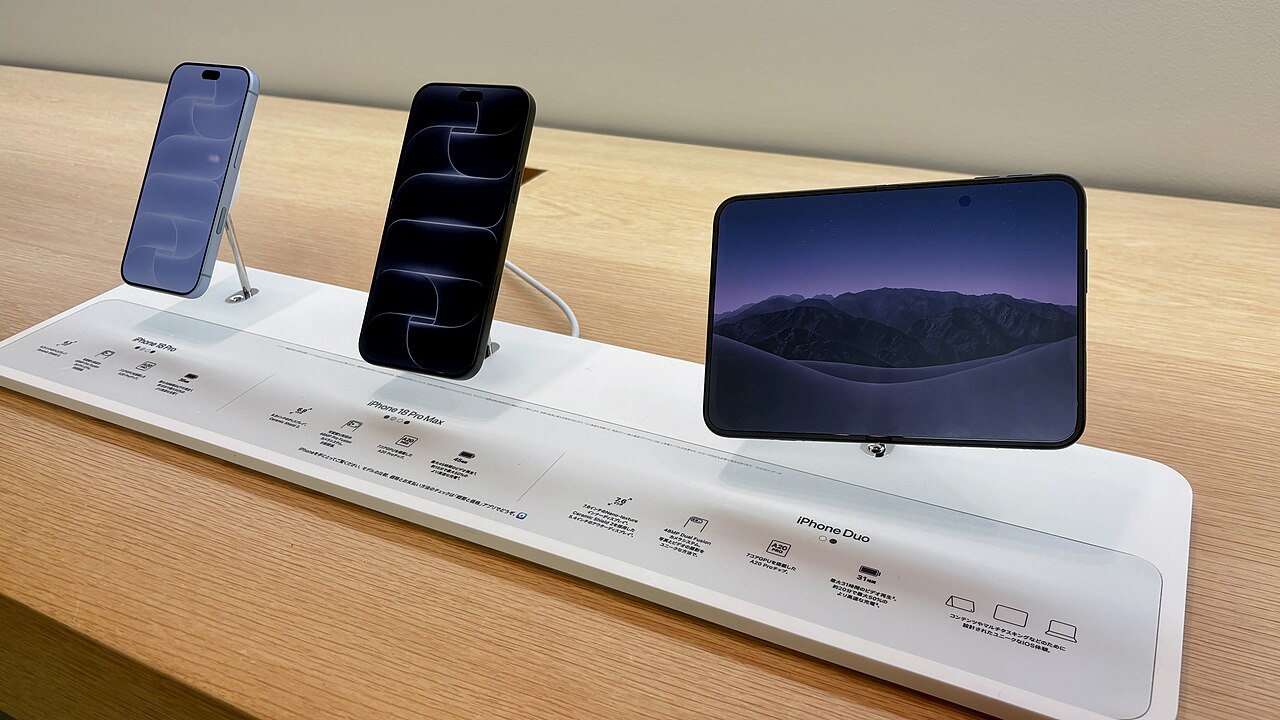
Apple iPhone 18 Pro Max
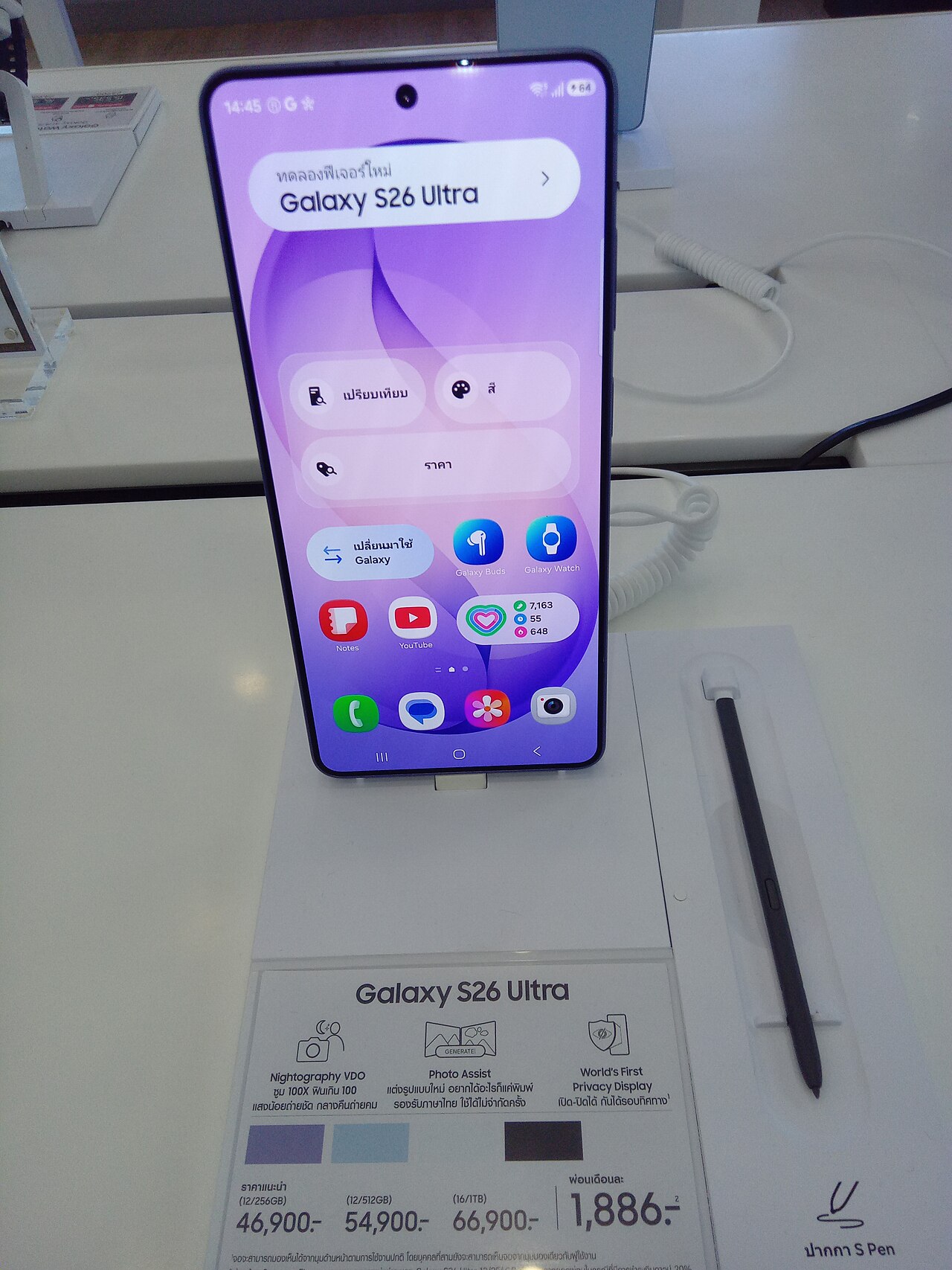
Samsung Galaxy S26 Ultra
This guide contains affiliate links. As an Amazon Associate I earn from qualifying purchases, at no extra cost to you. Learn more.
Key takeaways
- Choose the iPhone 18 Pro Max for superior video stabilization and consistent color accuracy.
- Pick the Galaxy S26 Ultra for advanced telephoto zoom and granular manual camera controls.
- Opt for the Galaxy S26 Ultra if you require reverse wireless charging for accessories.
- Both devices offer full-day battery life through different OS-level power optimizations.
Short on time? Start with our top picks
-
Best for iPhone owners
Apple iPhone 18 Pro Max
- Best for
- Users deeply entrenched in the Apple ecosystem who prioritize video recording quality and long-term hardware retention.
- Why choose it
- It provides seamless integration for users deeply entrenched in the Apple ecosystem who prioritize video recording quality.
- Think twice if
- Users should skip it if they prefer Android file management flexibility or stylus input.
-
Best for Android users
Samsung Galaxy S26 Ultra
- Best for
- Power users who value stylus input, extreme telephoto zoom, file management flexibility, and customization.
- Why choose it
- It suits power users who value stylus input, extreme telephoto zoom, and file management flexibility.
- Think twice if
- Users deeply invested in the Apple ecosystem may find cross-platform transitions restrictive.
How they compare
| Product | Best for | Key specs | Think twice if | Amazon link |
|---|---|---|---|---|
| Apple iPhone 18 Pro Max | Users deeply entrenched in the Apple ecosystem who prioritize video recording quality and long-term hardware retention. | PROLED XDR Display · Apple ecosystem integration | Users should skip it if they prefer Android file management flexibility or stylus input. | Check price |
| Samsung Galaxy S26 Ultra | Power users who value stylus input, extreme telephoto zoom, file management flexibility, and customization. | Stylus input · Telephoto zoom optics | Users deeply invested in the Apple ecosystem may find cross-platform transitions restrictive. | Check price |
Specs come from manufacturer pages and the sources listed at the end. Prices change often, so we link to Amazon instead of listing them.
Choosing between the Apple iPhone 18 Pro Max and the Samsung Galaxy S26 Ultra comes down to your operating system preference, note-taking needs, and hardware ecosystem investments. The iPhone 18 Pro Max fits users heavily invested in Apple devices who prioritize predictable video capture, display contrast, and global software release timing. The Galaxy S26 Ultra targets power users and mobile professionals who require built-in stylus input, high-reach telephoto optics, and detailed manual software controls.
Which camera system is better for shooting video, iPhone 18 Pro Max or Galaxy S26 Ultra?
When evaluating mobile video recording capabilities, hardware choices and tone mapping processing highlight distinct design approaches between Apple and Samsung. Apple announced the iPhone 18 Pro in its product lineup (Apple), and independent testing organization DXOMARK reviewed the Apple iPhone 18 Pro (DXOMARK), noting its balanced handling of exposure consistency, dynamic range, and realistic color rendering. The iPhone 18 Pro Max focuses on video recording stabilization, smooth multi-lens focal transitions, and color accuracy across variable lighting conditions. According to DXOMARK and Apple’s specifications, these features give video creators dependable output when capturing quick clips or managing extended video recording sessions.
Samsung takes a hardware-focused route with the Galaxy S26 Ultra, outfitting the phone with high-reach telephoto optics and detailed manual camera controls within its native camera application (Samsung). The Galaxy S26 Ultra allows creators to adjust shutter speed, ISO sensitivity, white balance, and directional audio capture settings directly while recording video. For vloggers and videographers who need precise optical reach and custom recording parameters, Samsung provides broad manual control. Because specific video bitrates, frame rates, and sensor dimensions are omitted from official documentation, baseline standard video recording capabilities between the iPhone 18 Pro Max and Galaxy S26 Ultra remain closely matched.
The edge: Choose the iPhone 18 Pro Max if automated video stabilization and color consistency are your top priorities, or select the Galaxy S26 Ultra if you require extensive manual camera controls and telephoto zoom optics.
Which has better battery life, the iPhone 18 Pro Max or Galaxy S26 Ultra?
Daily battery endurance on large flagship smartphones relies on processor power efficiency, dynamic display refresh management, and operating system background resource limits. The iPhone 18 Pro Max benefits from close integration between iOS software execution and custom Apple silicon. Apple designs its mobile operating system to minimize background power draw during active screen tasks, such as streaming video clips or organizing photo libraries.
The Galaxy S26 Ultra relies on high-capacity battery hardware paired with adaptive display refresh technology to manage power consumption throughout active work hours. Android offers detailed power management controls on the Galaxy S26 Ultra, allowing you to put inactive background applications into deep sleep and adjust system performance profiles to extend daily usage. Because numerical milliamp-hour capacity ratings and standard battery endurance metrics are omitted from official manufacturer specifications, everyday battery life on both flagships remains closely matched during routine tasks like web browsing, message communication, and media playback.
The edge: Battery endurance is closely matched on both phones, with the iPhone 18 Pro Max offering low iOS background power consumption and the Galaxy S26 Ultra providing flexible Android power-saving toggles.
Which device offers faster charging speeds, iPhone 18 Pro Max or Galaxy S26 Ultra?
Charging flexibility involves wired power delivery rates, wireless charging protocol compatibility, and accessory power sharing options. The iPhone 18 Pro Max supports fast wired charging and standard wireless charging protocols, enabling you to charge your smartphone alongside existing mobile gear. For purchasing logistics, Apple offers financial options such as Apple Upgrade for hardware leasing alongside up to 3% Daily Cash back for Apple Card purchases (Apple), providing standard financing program descriptions rather than product discounts.
The Galaxy S26 Ultra supports fast wired charging and wireless power delivery, while also incorporating reverse wireless charging to supply power to companion accessories like wireless earbuds or fitness trackers directly from the back panel. Because maximum wired charging wattage limits are omitted from official public documentation, charging speeds between the iPhone 18 Pro Max and Galaxy S26 Ultra remain comparable when using high-output charging bricks. Samsung’s inclusion of reverse wireless charging adds functional utility for users who carry multiple mobile devices while traveling.
The edge: The Galaxy S26 Ultra holds a narrow edge for users who value reverse wireless charging for accessories, while the iPhone 18 Pro Max provides a comparable charging routine alongside Apple financing options.
Which phone gets brighter under direct sunlight, the iPhone 18 Pro Max or Galaxy S26 Ultra?
Outdoor display legibility under sunlight depends on peak display panel brightness, dynamic tone mapping performance, and anti-reflective display coatings. Apple features the PROLED XDR Display on its Pro line (Apple), which emphasizes high dynamic range contrast ratios, deep black levels, and clear text rendering when viewing content under direct sunlight.
Samsung equips the Galaxy S26 Ultra with a bright display panel engineered to minimize glare and preserve color contrast under harsh sunlight (DisplayMate). The Galaxy S26 Ultra uses ambient light sensor data to adjust mid-tone contrast levels when exposed to intense outdoor light. Because numerical peak nit brightness ratings are not stated in official disclosures, sunlight legibility on both the iPhone 18 Pro Max and Galaxy S26 Ultra remains closely matched. Apple’s PROLED XDR Display prioritizes dynamic range contrast, whereas Samsung focuses on reflection management and outdoor visibility angles.
The edge: Sunlight legibility is closely matched on both phones, with the iPhone 18 Pro Max delivering strong contrast via its PROLED XDR Display and the Galaxy S26 Ultra providing effective glare reduction.
How do software update commitments compare for the iPhone 18 Pro Max and Galaxy S26 Ultra?
Long-term software support determines how long your smartphone receives core operating system updates, security patches, and broad app compatibility. Apple announced the iPhone 18 Pro in its product lineup (Apple) and maintains a record of releasing iOS updates simultaneously to all global users. Apple regularly delivers operating system patches, such as recent macOS updates addressing a security gap involving eMudhra certificates (9to5Mac), and expands feature access like Apple Intelligence, which completed regulatory registration for iPad and Mac in China ahead of a December launch (9to5Mac).
Samsung provides multi-year Android operating system and security patch commitments for its flagship hardware, delivering regular One UI feature upgrades over time. While Samsung has shortened release delays across carrier models, Android software upgrades deploy in phased regional rollouts rather than immediate worldwide releases. Because specific update year numbers are omitted from official documents, both manufacturers provide long-term software support, with Apple maintaining an edge in uniform release timing across global regions.
The edge: Choose the iPhone 18 Pro Max for immediate, worldwide software update releases, or the Galaxy S26 Ultra for long-term Android platform upgrades and One UI feature rollouts.
Does the Galaxy S26 Ultra’s S Pen provide a benefit over the iPhone 18 Pro Max?
An integrated stylus represents one of the primary hardware differences between these two flagship smartphones. The Galaxy S26 Ultra features integrated S Pen stylus input support, enabling you to write handwritten notes, sketch visual diagrams, annotate PDF files, and edit photo details with point precision directly on the display panel. The S Pen docks directly inside the chassis of the Galaxy S26 Ultra, keeping the tool stored and powered for daily note-taking workflows.
The iPhone 18 Pro Max does not support active stylus input, relying strictly on capacitive finger touch interaction. Apple reserves active stylus support for its tablet lineup, where products like the iPad combine the speed of the A16 chip with double the starting storage (Apple). For users who sign digital documents or draw technical diagrams on a smartphone screen, the lack of active stylus support on the iPhone 18 Pro Max requires using passive capacitive styluses that lack pressure sensitivity and internal docking options.
The edge: The Galaxy S26 Ultra holds a clear edge for note-taking and precision drawing with its built-in S Pen, while the iPhone 18 Pro Max relies entirely on touch navigation.
Who should buy the iPhone 18 Pro Max?
The iPhone 18 Pro Max is best for users deeply invested in the Apple ecosystem who prioritize reliable video recording, consistent camera rendering, and long-term hardware retention. If you already rely on a Mac, iPad, or Apple Watch, features like shared clipboard content, AirDrop file transfers, and unified notification syncing streamline daily productivity tasks across your devices. The PROLED XDR Display (Apple) offers strong high dynamic range contrast for viewing photos and editing video clips evaluated by independent labs like DXOMARK (DXOMARK).
You should pick the rival Galaxy S26 Ultra instead if you require integrated stylus support, extensive manual camera controls, high-reach optical telephoto zoom, or flexible file system management. The iPhone 18 Pro Max does not support an active stylus and enforces stricter home screen and system customization bounds than Android. However, neutral financing choices like up to 3% Daily Cash back for Apple Card purchases and leasing options through Apple Upgrade (Apple) offer structured buying options if you update hardware on a regular cycle.
Who should buy the Galaxy S26 Ultra?
The Galaxy S26 Ultra is best for power users, professionals who need on-the-go note-taking, and mobile photographers who value integrated stylus input, advanced telephoto zoom, and deep customization choices. The built-in S Pen allows you to take precise handwritten notes, draw visual concepts, and sign digital documents directly on the screen without needing external accessories. Its rear camera array offers extended telephoto optics alongside manual controls for video recording.
You should choose the iPhone 18 Pro Max instead if your main computing environment centers around macOS desktop computers or iPad tablets. Switching to Samsung’s Android platform creates ecosystem friction when transferring files or syncing notifications with macOS desktop environments, which recently received security patches addressing eMudhra certificates (9to5Mac). However, for users who prefer desktop-style file storage, customizable home screens, and built-in stylus tools, the Galaxy S26 Ultra delivers hardware utility that Apple does not match in its smartphone range.
Bottom line
The choice between these flagship smartphones depends on your software environment, note-taking requirements, and camera controls:
- iPhone 18 Pro Max: Best for users deeply invested in the Apple ecosystem who prioritize automated video stabilization, simple color consistency, and immediate worldwide software updates.
- Think twice if: You need an integrated active stylus for note-taking, open file management, or high-reach telephoto optical zoom optics.
- Galaxy S26 Ultra: Best for power users and professionals who need on-the-go note-taking with the built-in S Pen, detailed manual video controls, telephoto zoom optics, and Android interface customization.
- Think twice if: You depend on macOS cross-device sync features, instant global software update rollouts, or low iOS background power management.
Frequently asked questions
Can the iPhone 18 Pro Max work smoothly with a Windows PC?
The iPhone 18 Pro Max can pair with a Windows PC using cloud services, web-based tools, or third-party transfer software, though it lacks native desktop integration options like AirDrop. While file sharing and photo transfers require extra steps compared to pairing with a Mac, standard connectivity for data sync, cloud storage, and media management is fully supported.
How we researched this guide
How we chose these products. We compared current models sold in the US on:
- Ecosystem Integration
- Imaging Versatility
- Ergonomics and Daily Comfort
Where the information comes from.
- Manufacturer data: specifications, weights and battery-life figures come from official product pages, checked on . Battery figures are the manufacturers' own ratings under their test conditions, not our measurements.
- Third-party sources: other facts are linked to the 9 sources listed below.
- Our analysis: who each product suits, its trade-offs and our recommendations are editorial judgments based on that information.
Limitations. We did not test these products hands-on, and configurations, availability and prices change often, so confirm the exact configuration on the retailer's page before buying. AI tools helped research and draft this guide, and an editor reviewed it before publishing. Read our editorial process.
Sources
- Apple
- Samsung Brasil | Smartphones & Tablets | TV & Áudio | Eletrodomésticos | Outros
- The Verge
- Engadget | Technology News & Expert Reviews
- WIRED - The Latest in Technology, Science, Culture and Business | WIRED
- CNET: Product reviews, advice, how-tos and the latest news - CNET
- 9to5Mac - Apple News & Mac Rumors Breaking All Day
- DisplayMate Monitor Projector and TV Set Up Calibration and Testing
- DXOMARK - Quality Testing, Scores and Reviews